

UNC Asheville integrated ShapesXR into its VR design course to help students prototype, test, and iterate immersive experiences from day one. By lowering technical barriers, students could focus on exploring spatial ideas early—sketching environments, testing scale, and refining interactions directly in 3D. This approach supported more effective critique, as students could walk through each other’s work and respond to the experience itself rather than abstract descriptions. As a result, projects demonstrated clearer spatial thinking, stronger storytelling, and more confident design decisions, while the overall course dynamic shifted toward faster iteration and more active making.
We are part of the New Media Department teaching team at the University of North Carolina Asheville (NM420: Advanced Physical Computing), co-led by Dr. Victoria Bradbury and Brett A McCall. The course operates as a studio-lab in which students design and build interactive experiences across virtual reality and the web, with a strong emphasis on critique, iteration, and ethical design.
Early in the course, students need to explore spatial ideas quickly. However, traditional pipelines—particularly jumping directly into tools like Unity—can slow down ideation and create technical barriers before concepts are fully formed.
We needed a tool that:
To address these challenges, we focused on three main objectives:
“ShapesXR let us turn ‘talking about VR’ into ‘testing VR’—fast enough to iterate, clear enough to critique.” — Dr. Victoria Bradbury and Brett A McCall.

After exploring different options, the team chose ShapesXR because it hit the sweet spot between speed and fidelity: it’s fast enough for early ideation, but structured enough to support real interaction planning, scene composition, and consistent iteration cycles.
ShapesXR offered a significantly lower onboarding burden for students who were still learning the fundamentals of spatial design. Just as importantly, the tool aligned with the way we teach: prototype → critique → revise
ShapesXR works well for translating “I can describe it” into “you can experience it.” Instead of debating abstract descriptions, students can quickly turn ideas into environments others can walk through.
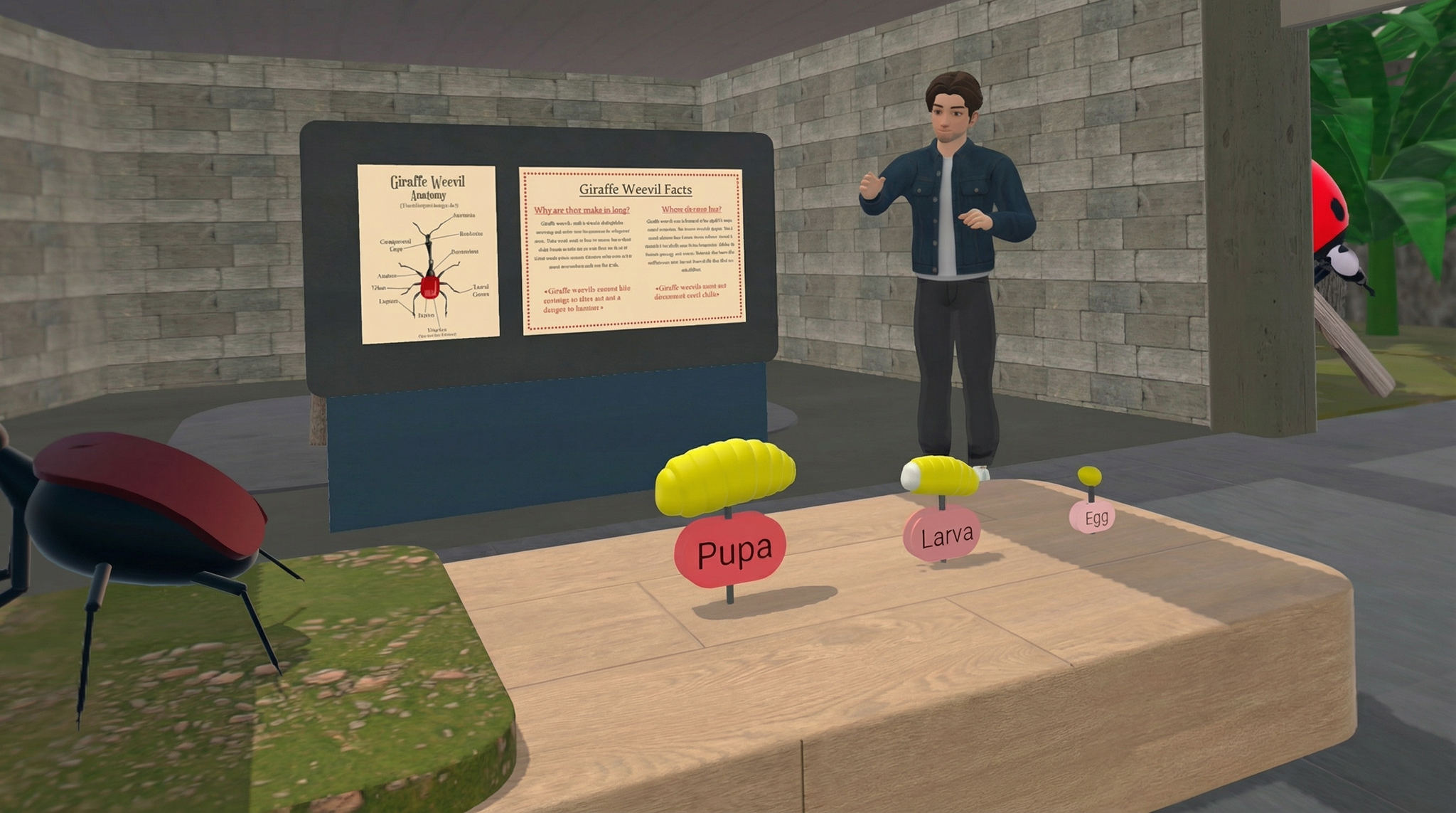
Prototype by Seth Bartlett:
We used ShapesXR as the core environment for rapid spatial prototyping—building VR scenes, interaction mockups, and story-driven spaces early in the semester. Students created prototypes ranging from a “classroom of the future” to early storymapping environments that could be tested and critiqued in-headset. ShapesXR made prototyping feel like sketching—students could block out spaces, test scale, and refine flow quickly. That speed changed class energy: more making, less stalling.Students worked solo and in small groups; instructors provided live feedback during walkthroughs. ShapesXR supported collaboration by making prototypes easy to review, discuss, and iterate.
This ability to quickly step inside a concept often led to moments of insight that would have been difficult to achieve through sketches or written descriptions alone. In several projects, students discovered that ideas which seemed clear in theory behaved very differently once experienced spatially.
One team had a story concept that felt strong on paper but confusing in practice. In ShapesXR, they built a rough “spatial storyboard” and realized their narrative beats weren’t visible from where users naturally looked and moved. They reoriented the environment, adjusted scale/lighting cues, and simplified the navigation path—turning a concept that sounded good into an experience that read clearly in-headset.
Prototype by Wade Farley and Adrian Shoemaker:
Prototype by Seth Bartlet:
By the end of the semester, the impact of early spatial prototyping was visible across student projects. It improved the legibility of student experiences that demonstrated:
Students also reported a shift in how they thought about immersive design. “I finally understand scale and presence—my idea changed once I stood inside it,” one student commented.
For instructors, critique sessions also became more productive. Brett A McCall said, “Critique gets more specific because we can point to the experience instead of arguing about descriptions.”
Overall experience with ShapesXR was high-leverage. It meaningfully compressed the distance between concept and prototype, which is exactly what you want in a studio course.
Among the features that proved most beneficial were:
We would recommend ShapesXR to other teams that need to move quickly from idea to embodied prototype. It’s ideal when clarity, iteration speed, and shared understanding matter more than final polish in the early stages.




%201.png)


